
Real Moto 2 is a motorcycle racing game for Android from Dreamplay Games. It follows the original Real Moto and focuses on circuit racing, bike handling, different camera views and motorcycle upgrades. The game also advertises GP-style competition, varied weather and time-of-day environments, and bike customization.
This guide explains the features listed by the developer, how to approach races as a beginner, what to check before upgrading a motorcycle, and how to install the correct Android app. It refers specifically to the Google Play release with package ID com.dreamplay.realmoto2.google; similarly named motorcycle games may be unrelated.
Real Moto 2 Android: Quick facts
- Game: Real Moto 2
- Developer: Dreamplay Games
- Platform: Android (Google Play also lists Windows availability through its supported platform information)
- Genre: Motorcycle circuit racing
- Gameplay: Single-player racing and GP-style competitive modes
- Features: 3D graphics, multiple camera angles, controller support, bike upgrades and customization
- Environments: The listing describes snow, rain, daytime and night settings
- Monetisation: Google Play lists ads and in-app purchases
For current compatibility, availability, age rating and purchase details, check the official Real Moto 2 Google Play listing. Store details may vary by country and can change after updates.
What is Real Moto 2?
Real Moto 2 is designed around motorcycle racing on circuits rather than open-world exploration or stunt-platform levels. Players choose a motorcycle, learn how it responds to steering and acceleration, and work on taking corners smoothly. The sequel’s store description highlights a physics engine, a range of motorcycle types from scooters to super sports bikes, and GP modes inspired by the MotoGP championship format.
The developer also advertises several camera angles, controller support, detailed motorcycle models, rider animations, different track environments, colorful bike customization and performance upgrades. These are features stated in the store listing; availability of particular bikes, tracks or options can depend on the current game build.
How the racing experience is structured
GP-style racing
The Google Play description promotes GP modes based on the real MotoGP championship. These modes are intended for players who enjoy circuit racing and competition, rather than short obstacle courses. The listing also describes racing against players around the world. Online competition and leaderboard-related features should be treated as internet-dependent even if other parts of the game can be played offline.
Camera angles and controls
Different camera views can change how much of the track and motorcycle you see. Try the available views on a familiar track before entering a competitive event. If the game offers touch-control layouts or controller support on your device, test the options and keep the setup that lets you steer consistently.
Weather and track conditions
The developer lists snow, rain, day and night environments. These settings add visual variety and may change how clearly you can read the circuit. Give yourself time to learn a track in each available condition instead of assuming every race will look identical.
Beginner tips for better motorcycle racing
- Learn the circuit before chasing speed. Identify braking zones, corners and exit points. A clean lap is a better foundation than repeated high-speed mistakes.
- Brake before the corner. Reduce speed while the bike is relatively straight, then steer through the turn. Braking too late can make it difficult to hold a stable line.
- Use smooth steering inputs. Abrupt movements can upset your line. Make smaller corrections and give the motorcycle time to respond.
- Focus on the corner exit. Try to finish the turn in a position that gives you room to accelerate onto the next straight.
- Choose a camera you can read. A view that looks dramatic is not necessarily the easiest for judging braking points. Test the available camera angles and keep one that makes track positioning clear.
- Practise on familiar tracks. Repeating the same circuit helps you compare lap consistency and understand where you are losing time.
- Do not upgrade without a goal. Identify whether you need better acceleration, braking, speed or cornering before spending upgrade resources.
Motorcycle upgrades and customization
Real Moto 2’s official listing mentions motorcycle upgrades and colorful bike customization. These serve different purposes: customization changes the bike’s appearance, while performance upgrades are intended to improve how it behaves on the track.
When upgrade options are available, consider your riding difficulty:
- Acceleration: Useful when you need stronger drive out of slower corners.
- Braking: Important if you regularly overshoot turns or struggle to slow down in time.
- Cornering or handling: Worth considering if keeping a stable racing line is your main challenge.
- Top speed: More relevant on circuits with longer straights than on tracks dominated by tight turns.
These are general racing principles, not a claim that every upgrade has the same name, cost or effect in every version. Read the in-game description before spending currency or upgrade materials. If an upgrade can be difficult to reverse, compare the options first.
Does Real Moto 2 support offline play?
Google Play currently labels Real Moto 2 as an offline game and also identifies single-player play. That suggests some core racing can be enjoyed without a continuous internet connection. However, the listing also promotes global GP competition and online features, which may require connectivity. Downloading the app, receiving updates, accessing store services and making purchases also require internet access.
If offline access is important, install the official app, complete its initial setup and test the single-player content with your device disconnected. Do not assume that online competition, rankings or every reward feature will work offline.
Android installation: use the official listing
To avoid confusing Real Moto 2 with similarly named games, use the publisher’s Google Play page:
Get Real Moto 2 from Google Play
- Check that the title is Real Moto 2 and the developer is Dreamplay Games.
- Confirm the app listing matches the package ID
com.dreamplay.realmoto2.google. - Read the current device compatibility information displayed by Google Play.
- Review the permissions and Data safety section before installing.
- Keep Google Play Protect enabled and avoid files from unknown APK websites.
- Install updates through the same official listing whenever possible.
Be careful with websites claiming to offer a “MOD APK,” unlimited money or all bikes unlocked. These are not verified by the developer’s official listing and may contain altered files, unwanted permissions or malware. We do not provide an unverified modified package.
Real Moto 2 compared with other motorcycle games
These games target different types of motorcycle fans:
- Traffic Rider: A first-person highway motorcycle game built around traffic riding and career missions. Read our Traffic Rider Android guide.
- Moto X3M: A side-scrolling stunt game with obstacle courses, jumps and timed levels. See our Moto X3M Android guide.
- GT Moto Racers: A guide to identifying similarly named bike-racing apps and checking their official listings is available in our GT Moto Racers article.
- Truckers of Europe 3: For readers who prefer heavy-vehicle simulation to motorcycle racing, visit our Truckers of Europe 3 Android guide.
Frequently asked questions
Who developed Real Moto 2?
The official Google Play listing identifies Dreamplay Games as the developer.
Is Real Moto 2 a MotoGP official game?
The developer describes its GP modes as being based on the actual MotoGP championship. That wording does not by itself mean the app is an officially licensed MotoGP game. Check the publisher’s store page for current licensing information.
Can I customize motorcycles in Real Moto 2?
Yes. The official description lists colorful bike customization and motorcycle upgrades.
Does Real Moto 2 support controllers?
The developer’s Google Play description says the game supports various controllers. Compatibility can depend on the controller and device, so check your setup in the game.
Can Real Moto 2 be played offline?
Google Play labels it as offline and single-player. Online competition and other connected services may still need an internet connection.
Is Real Moto 2 free to download?
Google Play lists the app with ads and in-app purchases. Review the current listing for regional pricing and available purchases.
Is Real Moto 2 the same as Real Moto?
No. Real Moto 2 is the sequel and has its own Google Play listing and package ID. Make sure you select the sequel if that is the game you want.
Final thoughts
Real Moto 2 is a motorcycle circuit-racing option for Android players who want multiple camera angles, GP-style events, bike customization and performance upgrades. It is a different experience from the stunt-focused Moto X3M and the highway-focused Traffic Rider. Start with the official store listing, learn the controls on familiar tracks and make upgrades based on the parts of your riding that need improvement.
Editorial note: This guide is based on the developer-provided Google Play description and listing information. It is not presented as a hands-on device test or an independent performance benchmark. Game features, compatibility and store availability may change.
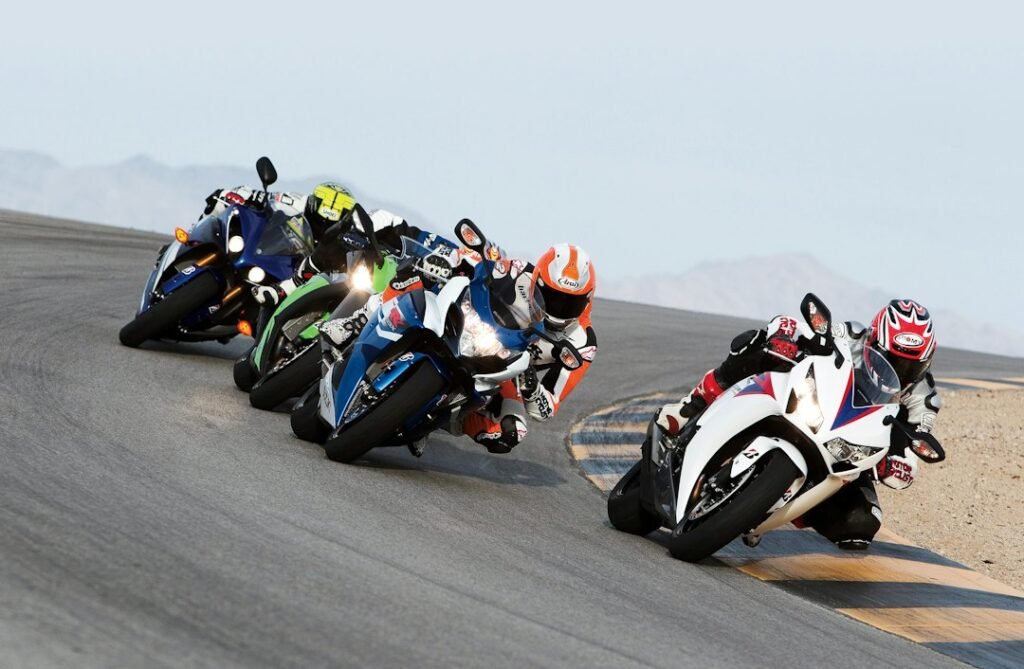
Featured image: Motorcycle road-racing photo by Joe Neric on Unsplash. Illustrative photo; not an in-game screenshot.